

{"cover":"Professional landscape format (1536×1024) editorial hero image featuring bold text overlay 'Interoperable Hardware and Software Stacks: Building Seamless Surveying Ecosystems for 2026' in extra large 72pt white sans-serif font with dark gradient shadow, positioned center-upper third. Background shows modern surveyor using total station equipment connected wirelessly to tablet displaying 3D point cloud data, with holographic interface elements showing data flowing between Trimble and Leica hardware devices to cloud platforms. Split-screen composition: left side physical surveying equipment in field, right side digital workflow dashboard. Color scheme: deep navy blue, electric cyan, white accents. High contrast, magazine cover quality, technology-forward aesthetic with visible data connectivity lines and integration symbols.","content":["Landscape format (1536×1024) detailed infographic showing hardware compatibility matrix for surveying equipment. Visual displays three columns representing Trimble, Leica, and Topcon total stations with checkmarks and X marks indicating software compatibility across rows of different platforms: AutoCAD Civil 3D, Bentley MicroStation, Esri ArcGIS, and cloud platforms. Center shows data flow arrows in cyan and orange connecting compatible systems. Include small device icons for GNSS receivers, robotic total stations, and laser scanners. Clean technical aesthetic with grid layout, professional blue and gray color scheme, compatibility rating stars, and integration status indicators. Text overlays highlight 'Native Support', 'Third-Party Bridge Required', and 'Limited Compatibility' zones.","Landscape format (1536×1024) conceptual illustration of Common Data Environment (CDE) ecosystem for surveying workflows. Central cloud platform hub in middle with spoke connections radiating outward to different stakeholder icons: surveyor with field equipment, architect at desk with BIM model, engineer reviewing structural plans, project manager viewing dashboard, and client accessing mobile app. Each connection shows different data types flowing: point clouds, CAD drawings, GIS layers, PDF reports. Background features semi-transparent data packets traveling along connection lines. Color-coded by data type: survey data in green, design data in blue, documentation in orange. Modern isometric perspective with depth, professional technology aesthetic, glowing connection points.","Landscape format (1536×1024) side-by-side comparison visualization showing 'Siloed Workflow' versus 'Interoperable Ecosystem'. Left panel shows disconnected software icons (total station software, CAD program, GIS platform, project management tool) with red X marks between them, representing data translation barriers and manual file conversions. Right panel shows same software connected by green checkmark pathways with seamless data flow arrows, cloud synchronization symbols, and real-time update indicators. Center dividing line with large arrow pointing right labeled 'Digital Transformation 2026'. Include small data loss percentage annotations on left (-15% efficiency), productivity gain metrics on right (+40% faster delivery). Clean infographic style, professional color palette, clear visual hierarchy."]

The surveying profession stands at a pivotal crossroads in 2026. While technological capabilities have never been more advanced—with millimeter-level precision positioning, AI-powered data processing, and cloud-based collaboration platforms—many surveying firms struggle with a fundamental challenge: getting their tools to work together seamlessly. The promise of Interoperable Hardware and Software Stacks: Building Seamless Surveying Ecosystems for 2026 represents more than just technical compatibility; it's the foundation for competitive survival in an industry where clients increasingly expect instant, integrated deliverables rather than static documents.
This comprehensive guide helps surveying professionals navigate the complex landscape of equipment and software selection, providing practical frameworks for building unified workflows from field capture to client delivery. Whether you're evaluating Trimble, Leica, Topcon, or other leading platforms, understanding compatibility requirements and integration pitfalls can mean the difference between profitable efficiency and costly data translation bottlenecks.
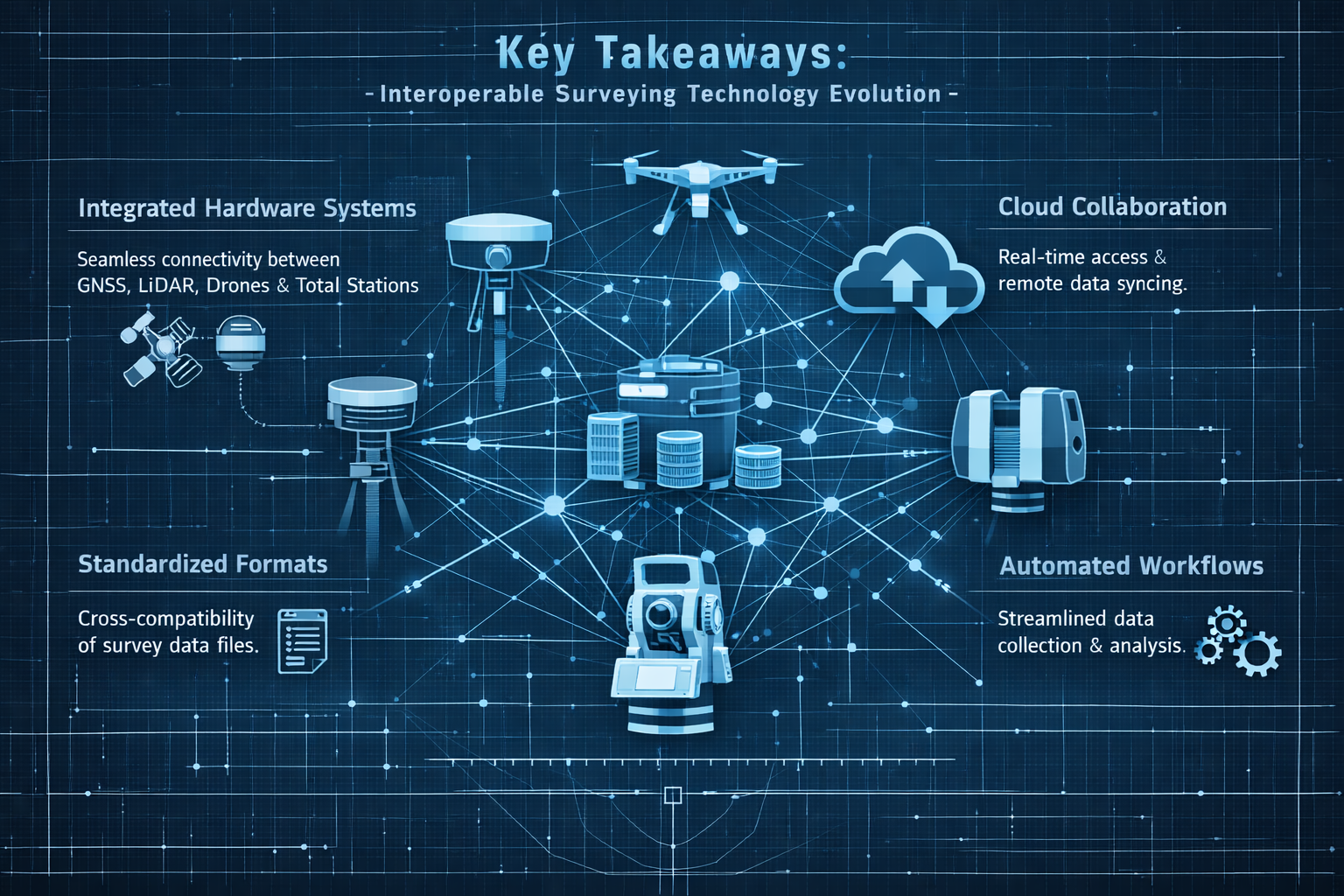
Key Takeaways
🔑 Interoperability is now a strategic priority: Construction technology vendors are accelerating efforts to enhance cross-platform data sharing, making compatible tool selection critical for 2026 competitiveness[2][6].
📊 Data siloing causes measurable losses: Incompatible technology stacks result in errors, delays, and lost revenue across construction projects, driving urgent demand for unified ecosystems[6].
☁️ Cloud-based deliverables are standard expectations: Clients now require interactive, collaborative platforms with 3D visualization, real-time syncing, and integrated communication—not just PDF reports[5].
💰 Lifecycle value retention creates recurring revenue: Surveying firms positioning services within broader asset management contexts unlock long-term partnerships, with 75% of asset costs occurring during operations and maintenance phases[2].
🤖 AI integration eliminates manual workflows: Direct AI embedding in core surveying processes enables instant data processing and insights, fundamentally changing field-to-delivery timelines[5].
Understanding the Interoperability Imperative in Modern Surveying
Why Interoperable Hardware and Software Stacks Matter Now
The surveying industry has historically operated with relatively isolated technology ecosystems. Firms selected equipment from preferred manufacturers and developed workflows around proprietary software packages. This approach worked adequately when deliverables consisted primarily of static plans and reports delivered weeks after field collection.
That era has definitively ended in 2026.
Today's construction and infrastructure projects demand real-time spatial intelligence accessible to diverse stakeholder teams. Architects need immediate access to as-built survey data to update Building Information Models (BIM). Engineers require instant notification when site conditions deviate from design specifications. Project managers expect live dashboards tracking progress against spatial benchmarks. Property owners increasingly commission structural surveys and building surveys that integrate seamlessly with their facility management systems.
This fundamental shift creates an unforgiving environment for surveying firms using incompatible tool combinations. Data that cannot flow seamlessly between systems becomes a liability rather than an asset.
The True Cost of Technology Silos
Research indicates that diverse teams using incompatible technology stacks experience measurable project impacts[6]:
- Increased error rates from manual data translation and reformatting
- Project delays caused by data handoff bottlenecks
- Lost revenue opportunities when deliverable formats don't match client requirements
- Reduced competitive positioning as clients select firms offering integrated workflows
"Many construction projects are hindered by diverse teams using incompatible technology stacks that don't share data, resulting in errors, delays, and lost revenue."[6]
For surveying professionals, these challenges manifest in frustrating ways: field crews collecting pristine millimeter-accurate data that office staff spend hours reformatting for client systems, survey deliverables rejected because file formats don't integrate with project Common Data Environments (CDEs), and opportunities lost to competitors offering seamless platform integration.
The Interoperability Opportunity
Conversely, firms that successfully implement Interoperable Hardware and Software Stacks: Building Seamless Surveying Ecosystems for 2026 gain substantial competitive advantages:
Operational Efficiency: Eliminating manual data translation reduces processing time by 30-50%, allowing faster project turnaround and higher capacity utilization.
Client Satisfaction: Deliverables that integrate directly into client workflows demonstrate technical sophistication and reduce friction in project collaboration.
Recurring Revenue: Positioning survey services within broader asset lifecycle management contexts creates ongoing relationships rather than transactional project work, with potential cost reductions of up to 40% in operations and maintenance for clients[2].
Market Differentiation: Industry leaders surveyed prioritize millimeter-level precision positioning alongside AI adoption as core competitive capabilities[6]—requirements that demand properly integrated technology stacks.
Core Components of Interoperable Surveying Ecosystems
Building seamless surveying ecosystems requires understanding how different technology components interact across the data lifecycle. Successful integration depends on compatibility at multiple levels: hardware communication protocols, file format standards, cloud platform APIs, and workflow automation capabilities.
Hardware Layer: Field Data Capture Equipment
The foundation of any surveying ecosystem begins with field data collection hardware. Major manufacturers offer comprehensive equipment portfolios, but compatibility varies significantly.
Primary Hardware Categories
Total Stations and Robotic Total Stations
- Trimble S-Series (S5, S7, S9)
- Leica TS/MS Series
- Topcon GT/PS Series
- Sokkia iX Series
GNSS/GPS Receivers
- Trimble R12i, R780
- Leica GS18 I/T
- Topcon HiPer VR/SR
- Emlid Reach RS2+
Laser Scanners (Terrestrial and Mobile)
- Trimble X12, X9
- Leica RTC360, BLK360
- Faro Focus Premium
- GeoSLAM ZEB Series
UAV/Drone Platforms
- DJI Phantom 4 RTK, Mavic 3 Enterprise
- senseFly eBee X
- Trimble UX5 HP
- Parrot Anafi USA
When selecting field equipment for drone roof surveys or comprehensive boundary surveys, compatibility with downstream processing software should be a primary selection criterion, not an afterthought.
Hardware Compatibility Considerations
Native File Format Support: Equipment that outputs industry-standard formats (LAS/LAZ for point clouds, RINEX for GNSS, DXF/DWG for vector data) provides maximum downstream flexibility.
Communication Protocols: Modern equipment should support multiple connection methods—Bluetooth, WiFi, cellular, and USB—enabling field-to-office data transfer flexibility.
Controller Ecosystem: Field controllers (data collectors, tablets, smartphones) must run compatible field software and sync reliably with office processing systems.
Firmware Update Pathways: Equipment requiring proprietary update tools creates dependency risks if manufacturer support diminishes.
Software Layer: Processing and Deliverable Creation
The software layer transforms raw field data into client-ready deliverables. This tier presents the greatest interoperability challenges and opportunities.
Processing Software Categories
Survey-Specific Processing Platforms
- Trimble Business Center (TBC)
- Leica Infinity
- Topcon Magnet Office
- Carlson Survey
CAD and Design Software
- AutoCAD Civil 3D
- Bentley MicroStation/OpenRoads
- BricsCAD
- QCAD
GIS Platforms
- Esri ArcGIS Pro
- QGIS
- MapInfo Pro
- Global Mapper
Point Cloud Processing
- Autodesk ReCap
- Bentley ContextCapture
- Pix4Dmapper
- Agisoft Metashape
BIM Integration Tools
- Autodesk Revit
- Trimble Connect
- Bentley Navigator
- Graphisoft Archicad
Surveying firms conducting dilapidation surveys or specific defect reports must ensure their processing software can generate deliverables in formats clients' project teams can utilize directly.
Software Integration Checklist
When evaluating software compatibility, assess these critical factors:
✅ Import Capabilities: Can the software directly import data from your field equipment without third-party conversion tools?
✅ Export Flexibility: Does it support multiple output formats (DWG, DXF, PDF, IFC, LAS, GeoTIFF, etc.) to accommodate diverse client requirements?
✅ API Availability: Are documented APIs available for custom workflow automation and integration with client systems?
✅ Cloud Connectivity: Does the platform offer cloud sync capabilities for real-time collaboration and mobile access?
✅ Plugin Ecosystem: Are third-party plugins available to bridge gaps with other platforms you use?
✅ License Portability: Can licenses move between workstations, or are they locked to specific hardware?
✅ Update Compatibility: Do software updates maintain backward compatibility with project files and custom workflows?
Cloud Platform Layer: Collaboration and Delivery
The adoption of Common Data Environments (CDEs) represents perhaps the most transformative shift in surveying deliverable expectations. CDEs transform surveying outputs from static documents into dynamic, shared environments where spatial information informs real-time decision-making across project teams[2].
Cloud Platform Requirements for 2026
Modern surveying clients expect cloud-based deliverables with specific capabilities[5]:
Interactive 3D Visualization: Browser-based point cloud and model viewing without requiring specialized software installation.
Real-Time Revision Syncing: Automatic updates when survey data changes, ensuring all stakeholders work from current information.
Integrated Communication: Commenting, markup, and issue tracking directly within spatial data viewers.
Instant File Sharing: Secure, permission-controlled access to survey deliverables for diverse project team members.
Mobile Accessibility: Full-featured access from tablets and smartphones for field review and decision-making.
Version Control: Automatic tracking of data revisions with rollback capabilities.
Leading CDE Platforms for Surveying
Trimble Connect: Native integration with Trimble hardware and software, strong BIM collaboration features, good mobile apps.
Autodesk Construction Cloud: Excellent integration with AutoCAD and Revit ecosystems, comprehensive project management tools.
Bentley ProjectWise: Enterprise-grade infrastructure project collaboration, strong with civil engineering workflows.
Procore: Construction-focused with good document management, requires third-party tools for spatial data visualization.
BIM 360: Being consolidated into Autodesk Construction Cloud, strong design collaboration features.
When selecting CDE platforms, prioritize those offering direct integrations with your processing software to minimize manual upload/conversion steps.
Building Interoperable Hardware and Software Stacks: Practical Integration Strategies
Successfully implementing Interoperable Hardware and Software Stacks: Building Seamless Surveying Ecosystems for 2026 requires strategic planning across technology selection, workflow design, and team training dimensions.
Strategy 1: Anchor Around Primary Ecosystem
Rather than attempting to maintain compatibility with all platforms, most successful surveying firms anchor their technology stack around a primary ecosystem while maintaining strategic secondary capabilities.
Trimble-Anchored Ecosystem
Hardware: Trimble total stations, GNSS receivers, X-series scanners
Processing: Trimble Business Center as primary platform
CAD Integration: Export to AutoCAD Civil 3D via native DWG support
Cloud Delivery: Trimble Connect for project collaboration
Secondary Capabilities: Maintain Leica Cyclone licenses for client-provided scan data
Advantages: Seamless data flow within Trimble ecosystem, excellent field-to-finish workflows, strong construction industry integration.
Limitations: Higher equipment costs, some proprietary format dependencies, smaller third-party plugin ecosystem than Autodesk platforms.
Leica-Anchored Ecosystem
Hardware: Leica total stations, GNSS receivers, BLK/RTC scanners
Processing: Leica Infinity and Cyclone REGISTER 360
CAD Integration: Export to MicroStation or Civil 3D
Cloud Delivery: Leica GeoSystems TruView for web-based deliverables
Secondary Capabilities: Maintain Trimble Business Center for client compatibility
Advantages: Excellent scanning technology, strong surveying-specific workflows, good European market support.
Limitations: Less construction-focused than Trimble, cloud platforms less mature than competitors.
Autodesk-Anchored Ecosystem
Hardware: Manufacturer-agnostic approach (Trimble, Leica, Topcon)
Processing: AutoCAD Civil 3D as primary platform
Point Cloud: Autodesk ReCap for scan processing
Cloud Delivery: Autodesk Construction Cloud
Secondary Capabilities: Maintain manufacturer-specific software for equipment configuration
Advantages: Broadest industry compatibility, extensive plugin ecosystem, strong design integration.
Limitations: Less optimized for pure surveying workflows, requires multiple software packages for complete functionality.
Strategy 2: Implement Format Translation Bridges
Even with primary ecosystem anchoring, surveying firms must handle data from diverse sources. Strategic translation bridges minimize manual conversion work.
Critical Translation Points
Point Cloud Formats
- Primary: LAS/LAZ (universal standard)
- Secondary: E57 (multi-vendor exchange)
- Proprietary: RCP (Autodesk), RCS (Leica), TZF (Trimble)
- Bridge Solution: Maintain CloudCompare (free, open-source) for emergency format conversions
Vector Data Formats
- Primary: DWG/DXF (Autodesk standard)
- Secondary: DGN (Bentley MicroStation)
- GIS: Shapefile, GeoJSON, KML
- Bridge Solution: FME Desktop (Safe Software) for complex multi-format workflows
Coordinate Systems
- Bridge Solution: Maintain comprehensive coordinate system libraries in all software platforms
- Use EPSG codes for standardization
- Document custom transformations in project metadata
BIM/3D Model Formats
- Primary: IFC (Industry Foundation Classes)
- Proprietary: RVT (Revit), SKP (SketchUp), NWD (Navisworks)
- Bridge Solution: Maintain Solibri or Tekla BIMsight for IFC validation
Strategy 3: Automate Workflow Handoffs
Manual data transfers between workflow stages create error opportunities and time waste. Automation reduces friction and ensures consistency.
Automation Opportunities
Field-to-Office Transfer
- Configure automatic cloud sync from field controllers
- Implement naming conventions that trigger processing workflows
- Use mobile hotspots for real-time data upload from field sites
Processing-to-Deliverable
- Create template-based processing workflows for common project types
- Develop scripts for automated coordinate transformations
- Implement batch processing for repetitive tasks
Deliverable-to-Client
- Configure automatic CDE uploads when processing completes
- Generate automated email notifications to project stakeholders
- Create standardized folder structures that match client requirements
Quality Control Gates
- Implement automated closure checks before processing
- Configure coordinate system validation before export
- Create automated reports highlighting data gaps or anomalies
Strategy 4: Maintain Compatibility Testing Protocols
Technology platforms update frequently, sometimes breaking previously functional integrations. Systematic compatibility testing prevents production disruptions.
Testing Protocol Components
Pre-Update Testing Environment
- Maintain isolated testing workstations separate from production systems
- Test software updates with representative project data before deploying to production
- Document compatibility issues and workarounds in knowledge base
Hardware Firmware Updates
- Test firmware updates on secondary equipment before updating primary field gear
- Verify data format compatibility after firmware changes
- Maintain rollback capability for critical equipment
Client Platform Compatibility
- Request sample data from new clients to test import workflows
- Verify deliverable formats before committing to project timelines
- Maintain relationships with client IT teams for platform questions
Annual Compatibility Audit
- Review entire technology stack compatibility annually
- Identify deprecated formats or protocols requiring migration
- Plan equipment and software refresh cycles around compatibility requirements
Common Compatibility Pitfalls and Solutions

Even with careful planning, surveying firms encounter predictable integration challenges. Understanding common pitfalls enables proactive mitigation.
Pitfall 1: Coordinate System Mismatches
Problem: Data collected in one coordinate system but client requires deliverables in different system, with transformation parameters unclear or unavailable.
Impact: Positional errors ranging from centimeters to meters, potentially invalidating entire surveys.
Solution:
- Establish coordinate system requirements during project kickoff, before field mobilization
- Maintain comprehensive transformation libraries for your service area
- When custom transformations required, document parameters in project files and deliverable metadata
- Use control points in multiple systems to validate transformations
- For chartered surveying work, always verify coordinate systems match legal descriptions
Pitfall 2: Point Cloud Density Incompatibility
Problem: Scanner configured for density appropriate for surveying purposes, but client BIM software cannot handle file sizes or requires different density for modeling.
Impact: Deliverables rejected, requiring field remobilization or extensive post-processing.
Solution:
- Clarify point cloud density requirements and intended use during project scoping
- Maintain raw scan data at maximum density, create decimated versions for specific uses
- Understand client software limitations (Revit handles point clouds differently than Civil 3D)
- Provide multiple density versions: high-density for archival, medium for modeling, low for visualization
- Use intelligent decimation that preserves edge detail while reducing flat surface density
Pitfall 3: CAD Version Conflicts
Problem: Survey deliverables created in newer CAD software version than client can open, or client requires specific version for standards compliance.
Impact: Deliverables unreadable by client, requiring emergency reformatting.
Solution:
- Always confirm required CAD version during project initiation
- Configure "Save As" defaults to widely compatible versions (DWG 2018 format readable by most platforms)
- Maintain multiple CAD software versions for compatibility
- When using advanced features, verify compatibility with target version
- Provide both native version and backward-compatible version as standard practice
Pitfall 4: Metadata Loss During Format Conversion
Problem: Converting between formats strips critical metadata (coordinate systems, accuracy estimates, collection dates, equipment calibration data).
Impact: Reduced deliverable value, inability to validate data quality, compliance issues.
Solution:
- Prioritize formats that preserve metadata (E57 for point clouds, GeoTIFF for imagery)
- Create supplementary metadata files (XML, JSON) accompanying deliverables
- Include metadata summary sheets in PDF format for human readability
- Use format-specific tools rather than generic converters when possible
- Validate metadata preservation after conversion before client delivery
Pitfall 5: Cloud Platform Access Restrictions
Problem: Client organization's IT security policies block access to surveying firm's preferred cloud delivery platform.
Impact: Cannot deliver via modern collaborative methods, falling back to outdated file transfer approaches.
Solution:
- Maintain accounts on multiple CDE platforms (Trimble Connect, Autodesk Construction Cloud, Procore)
- Clarify cloud platform requirements during contracting
- Develop FTP/SFTP delivery capabilities as fallback
- Consider client-provided cloud storage (SharePoint, Box, Dropbox Business) for restricted organizations
- For government or infrastructure clients, verify platform compliance with security requirements (FedRAMP, ISO 27001)
Pitfall 6: License Mobility Limitations
Problem: Software licenses tied to specific workstations, preventing flexible resource allocation across projects and staff.
Impact: Reduced productivity, inability to scale capacity during peak periods.
Solution:
- Prioritize network/floating licenses over node-locked licenses when purchasing
- Implement license management systems to track utilization
- Negotiate license terms allowing temporary additional seats during peak periods
- Consider subscription licensing for flexibility despite higher long-term costs
- Maintain relationships with software vendors for emergency license additions
Future-Proofing Your Surveying Technology Stack
The surveying technology landscape continues evolving rapidly. Firms that build adaptable ecosystems rather than rigid, vendor-locked stacks position themselves for long-term success.
Emerging Integration Trends for 2026 and Beyond
AI-Powered Workflow Automation: AI is now directly integrated into core surveying workflows, eliminating manual sorting of raw field data and enabling instant processing and insights[5]. As networks of AI agents operate across connected design, engineering, and construction ecosystems, surveying firms must ensure their technology stacks can participate in these automated workflows[6].
Real-Time Spatial Intelligence: The shift from post-processed deliverables to real-time spatial data streams requires cloud-native architectures with robust API capabilities. Surveying firms should prioritize platforms offering real-time data synchronization and live collaboration features.
GIS-Centric Lifecycle Management: Geographic Information Systems integration is being redefined by AI, real-time spatial insights, and secure data sharing[2]. Surveying technology stacks must bridge traditional surveying precision with GIS analytical capabilities.
Asset Lifecycle Value Retention: Infrastructure owners increasingly recognize that data collected during planning and construction phases retains value throughout asset lifecycles[2]. Surveying firms offering RICS valuation services and red book valuations should position technology stacks to support long-term asset management relationships.
Predictive Maintenance Integration: Spatial data integration enables shifts from reactive to predictive maintenance, with potential cost reductions of up to 40% in operations and maintenance[2]. Technology stacks supporting IoT sensor integration and time-series spatial analysis create recurring revenue opportunities.
Technology Stack Evaluation Framework
When evaluating new equipment or software additions, apply this framework to assess ecosystem compatibility:
| Evaluation Criterion | Weight | Assessment Questions |
|---|---|---|
| Native Integration | 30% | Does it integrate directly with existing tools without translation? |
| Open Standards Support | 25% | Does it import/export industry-standard formats? |
| API Availability | 15% | Are documented APIs available for custom integration? |
| Cloud Connectivity | 15% | Does it support modern cloud collaboration platforms? |
| Vendor Ecosystem | 10% | Is the vendor committed to interoperability initiatives? |
| Future Roadmap | 5% | Does the development roadmap align with industry trends? |
Tools scoring below 60% total should be considered only when absolutely necessary for specific client requirements or capabilities unavailable elsewhere.
Building Vendor Relationships for Integration Support
Technology vendors increasingly recognize interoperability as a competitive differentiator. Construction technology vendors, including Trimble, are accelerating efforts to enhance interoperability in 2026, building workflows and integrations between construction technology ecosystems[2][6].
Leverage vendor partnerships:
- Participate in beta programs for new integration features
- Provide feedback on compatibility issues through official channels
- Attend vendor conferences to network with product development teams
- Join user groups focused on specific integration challenges
- Request integration roadmaps during software evaluation processes
Staff Training and Change Management
Technology interoperability depends not just on compatible tools, but on staff understanding integration workflows and troubleshooting capabilities.
Training priorities:
- Format fundamentals: Ensure staff understand key format differences (raster vs. vector, coordinate system concepts, precision vs. accuracy)
- Troubleshooting skills: Develop systematic approaches to diagnosing integration failures
- Workflow documentation: Maintain current process documentation for common integration scenarios
- Cross-training: Ensure multiple staff members can handle critical integration points
- Continuous learning: Allocate time for exploring new integration capabilities as platforms evolve
Implementing Interoperable Hardware and Software Stacks: A Phased Approach
For surveying firms seeking to build Interoperable Hardware and Software Stacks: Building Seamless Surveying Ecosystems for 2026, a phased implementation approach minimizes disruption while progressively improving capabilities.
Phase 1: Assessment and Planning (Months 1-2)
Audit Current State
- Inventory all hardware and software currently in use
- Document current workflow steps from field capture to client delivery
- Identify integration pain points causing delays or errors
- Survey staff about workflow frustrations and inefficiencies
Define Target State
- Research client platform requirements across current and target markets
- Identify primary ecosystem anchor based on client base and service offerings
- Determine critical secondary capabilities for competitive positioning
- Establish integration priorities based on project volume and revenue impact
Gap Analysis
- Compare current capabilities against target state requirements
- Identify equipment requiring replacement or upgrade
- Determine software additions or migrations needed
- Calculate investment requirements and ROI timelines
Phase 2: Foundation Building (Months 3-6)
Standardize Core Platforms
- Implement primary processing software across all workstations
- Establish standard templates and workflows for common project types
- Configure cloud collaboration platforms
- Develop naming conventions and folder structures
Establish Translation Bridges
- Implement format conversion tools for common translation needs
- Create documented procedures for handling non-standard data
- Build validation workflows to verify translation accuracy
- Train staff on bridge tool usage
Pilot Testing
- Select representative projects to test new workflows
- Document issues and refinements needed
- Gather staff feedback on workflow improvements
- Validate deliverable compatibility with client systems
Phase 3: Integration Optimization (Months 7-12)
Workflow Automation
- Implement automated data transfer between workflow stages
- Create scripts for repetitive processing tasks
- Configure quality control checkpoints
- Develop automated reporting for project status
Advanced Capabilities
- Implement AI-powered processing features
- Establish real-time collaboration workflows
- Develop custom integrations for high-value clients
- Create specialized workflows for service differentiators
Performance Monitoring
- Track project processing times before and after implementation
- Measure deliverable rejection/revision rates
- Monitor staff productivity metrics
- Calculate realized ROI against projections
Phase 4: Continuous Improvement (Ongoing)
Regular Compatibility Audits
- Quarterly reviews of platform compatibility
- Annual technology stack assessments
- Proactive monitoring of vendor roadmaps
- Systematic evaluation of emerging technologies
Staff Development
- Ongoing training on new features and capabilities
- Cross-training to build redundancy
- Participation in industry conferences and user groups
- Knowledge sharing sessions on integration solutions
Client Feedback Integration
- Systematic collection of client deliverable feedback
- Proactive outreach about evolving client platform requirements
- Adaptation of workflows to meet changing expectations
- Positioning of integration capabilities in marketing materials
Conclusion: Building Your Seamless Surveying Ecosystem
The transformation toward Interoperable Hardware and Software Stacks: Building Seamless Surveying Ecosystems for 2026 represents both challenge and opportunity for surveying professionals. While the technical complexity of maintaining compatible tool combinations has increased, the competitive advantages of seamless integration have never been more valuable.
Surveying firms that successfully navigate this transition position themselves as strategic technology partners rather than transactional service providers. When your deliverables integrate directly into client workflows, when your data flows seamlessly from field capture to facility management systems, and when your spatial intelligence informs real-time project decisions, you transcend commodity surveying services to become indispensable project collaborators.
The path forward requires strategic thinking about ecosystem anchoring, systematic attention to compatibility across the technology stack, and commitment to continuous adaptation as platforms evolve. Whether you're conducting traditional building surveys, advanced subsidence investigations, or specialized roof surveys, the principles of interoperability remain constant.
Actionable Next Steps
Immediate Actions (This Week):
- Audit your current technology stack using the evaluation framework provided
- Survey your top 10 clients about their platform requirements and deliverable preferences
- Identify your single biggest integration pain point causing project delays
- Research whether your primary equipment vendor offers integration roadmaps
Short-Term Actions (This Month):
- Select your primary ecosystem anchor based on client requirements and service offerings
- Implement standardized naming conventions and folder structures across projects
- Configure cloud collaboration platform accounts for major CDE providers
- Schedule staff training on format fundamentals and integration troubleshooting
Medium-Term Actions (This Quarter):
- Develop documented workflows for your three most common project types
- Implement automated data transfer for at least one workflow stage
- Establish compatibility testing protocols before software updates
- Create integration capability summaries for marketing materials and proposals
Long-Term Actions (This Year):
- Complete phased implementation of your target interoperable ecosystem
- Develop specialized integration capabilities for high-value market segments
- Build recurring revenue relationships through lifecycle asset management services
- Position your firm as integration expert through thought leadership and case studies
The surveying profession's future belongs to firms that master not just precision measurement, but seamless data integration across the built environment lifecycle. By building truly interoperable technology ecosystems, you transform spatial data from project deliverables into strategic assets that create value long after fieldwork concludes.
The tools, frameworks, and strategies outlined in this guide provide the foundation for that transformation. The competitive advantages await firms willing to invest in building seamless surveying ecosystems for 2026 and beyond.
References
[1] Hardware Consumer Tech Outlook – https://www.deloitte.com/us/en/insights/industry/technology/technology-media-telecom-outlooks/hardware-consumer-tech-outlook.html
[2] Doubling Down On Digital – https://amerisurv.com/2026/02/01/doubling-down-on-digital/
[3] Enterprise Technology Predictions Whats Coming 2026 – https://siliconangle.com/2026/01/25/enterprise-technology-predictions-whats-coming-2026/
[4] The Future Of Land Surveying Technology And Upcoming Trends In 2026 – https://metricop.com/blogs/land-surveying/the-future-of-land-surveying-technology-and-upcoming-trends-in-2026
[5] Future Land Surveying 2026 – https://haller-blanchard.com/future-land-surveying-2026/
[6] Future Construction Technology Trends Contractor Survey – https://www.trimble.com/blog/trimble/en-US/article/future-construction-technology-trends-contractor-survey
[7] Doubling Down On Digital Top 6 Surveying Trends Shaping 2026 From Trimble Experts – https://nottinghillsurveyors.com/blog/doubling-down-on-digital-top-6-surveying-trends-shaping-2026-from-trimble-experts
[8] Outlook 2026 – https://www.jpmorgan.com/content/dam/jpmorgan/documents/wealth-management/outlook-2026.pdf